
SteamArr!
Effortlessly add non-Steam games to your Steam library with polished artwork.
Just select your game, choose your artwork, and you're done!
⚠️ THE PROBLEM
Manually adding non-Steam games is tedious:
- Add the game to Steam
- Hunt and download artwork manually
- Match file names & formats
- Place files in the right directories
SteamArr! automates all of this, giving your games the same look as official Steam titles instantly.
FEATURES
Seamless Integration
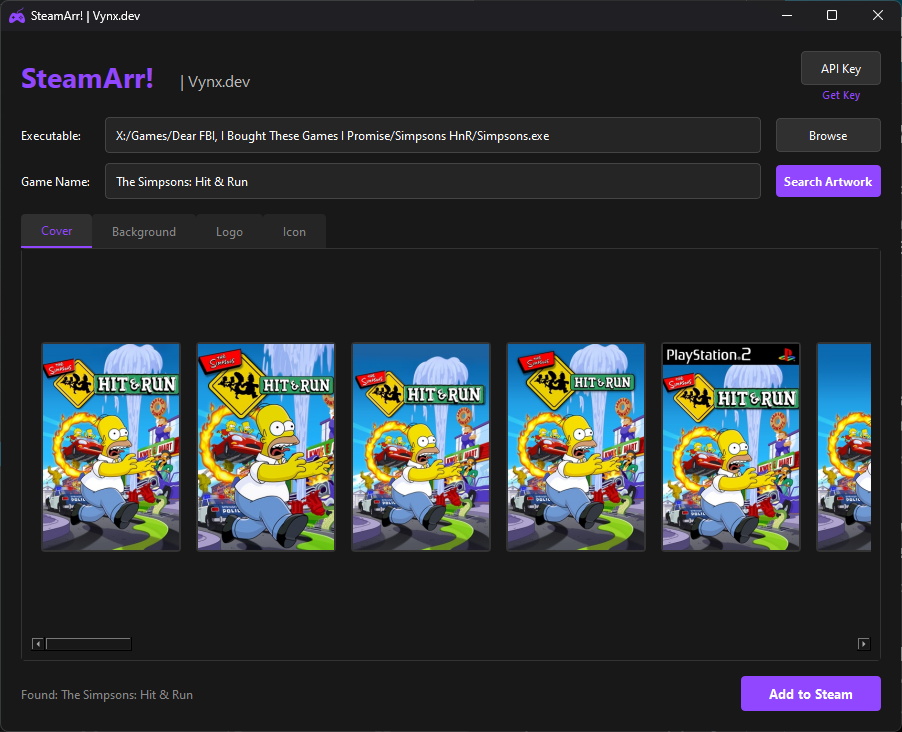
Add any executable to your Steam library with just a few clicks
Automatic Artwork
Fetch high-quality artwork from SteamGridDB - covers, backgrounds, logos, and icons
Preview Before Adding
Choose from multiple artwork options and preview before adding to Steam
GETTING STARTED
- Get a SteamGridDB API Key
Click "Get Key" link in app, sign in to SteamGridDB and copy your key - Set Your API Key
Click "API Key" button, paste and save - Add Your Games
Browse for game executable, select artwork, add to Steam!
SYSTEM_ID: SA_V1.0 // VYNX.DEV