RaiderVision
A lightweight Windows application for toggling brighter night vision on the fly.
FEATURES
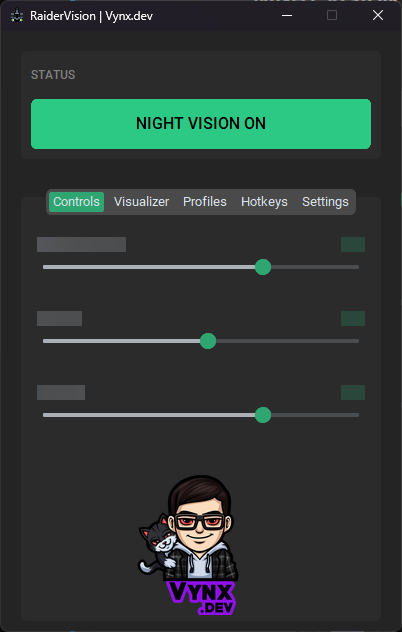
Night Vision Mode
Toggle enhanced visibility settings with one click or hotkey
Real-Time Adjustments
Digital Vibrance (0-100%), Gamma (0.5-3.0), Contrast (0-100%)
User Profiles
Save unlimited custom profiles with default TheBurntPeanut preset
Visualizer
Preview and adjust settings inside the program with fullscreen option
Global Hotkey
Default Ctrl+Alt+N (customizable) - toggle anytime
System Tray
Minimize to tray for background operation with quick access menu
Smart Exit
Auto-restores monitor settings when closing with Night Vision ON
📥 INSTALLATION
Download & Run! No installation required.
🎯 USAGE
- Launch the app
- Adjust sliders in the Settings tab
- Toggle Night Vision with button or Ctrl+Alt+N
- Save favorite settings as a profile
- Minimize to tray for background use
🔧 REQUIREMENTS
Windows 10/11 • NVIDIA GPU with installed drivers
SYSTEM_ID: RV_V1.0 // VYNX.DEV