01
Easily Change Platforms
Move between PC, Xbox/PlayStation, and Nintendo Switch Community Creations.
 VYNX
VYNXVynx.dev
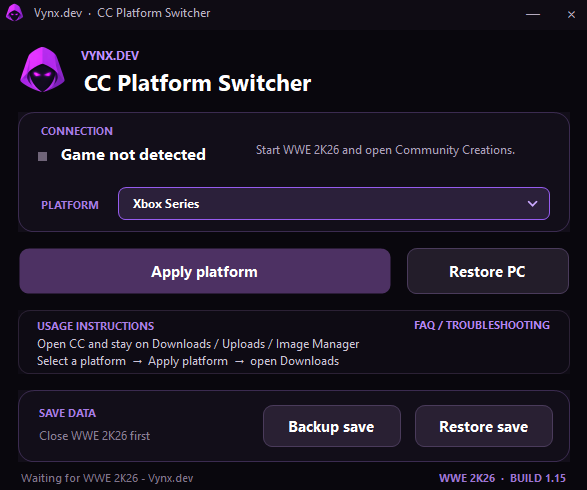
Switch WWE 2K25 and 2K26 Community Creations between PC, Xbox/PlayStation, and Nintendo Switch platforms without leaving the game.
Step 01
Start the game and open Community Creations.
Step 02
Select PC, Xbox/PlayStation, or Nintendo Switch.
Step 03
Apply the platform, then open Downloads in Community Creations.
Move between PC, Xbox/PlayStation, and Nintendo Switch Community Creations.
Apply a new platform while WWE 2K25 or 2K26 is running, then browse it from Community Creations.
Return Community Creations to the normal PC with a dedicated restore button.
Create and restore marked WWE 2K25 and 2K26 save backups directly from the utility. Just in case.
The tool checks Vynx.dev for new versions and can take you directly to the latest release.
Close WWE 2K25 or 2K26 before creating or restoring a save backup. The tool marks its own backups and verifies them before restoring.
Select the matching Steam remote folder inside userdata/<Steam ID>/<game ID>/remote when prompted.
CC Platform Switcher checks the official Vynx.dev manifest for the latest version, download, changelog, and update message.