01
Barrier Break
Remove the Create-An-Arena red-zone restrictions and place items anywhere you desire.
 VYNX
VYNX
Break limits.Build freely.
An in-game overlay to help bypass the Create-An-Arena restrictions on WWE 2K26. Unlock your full creativity.
Step 01
Install WWE 2K26 and CakeHook or an equivalent ASI loader setup.
Step 02
Copy ArenaBuilder.asi into WWE 2K26\plugins or WWE 2K26\scripts.
Step 03
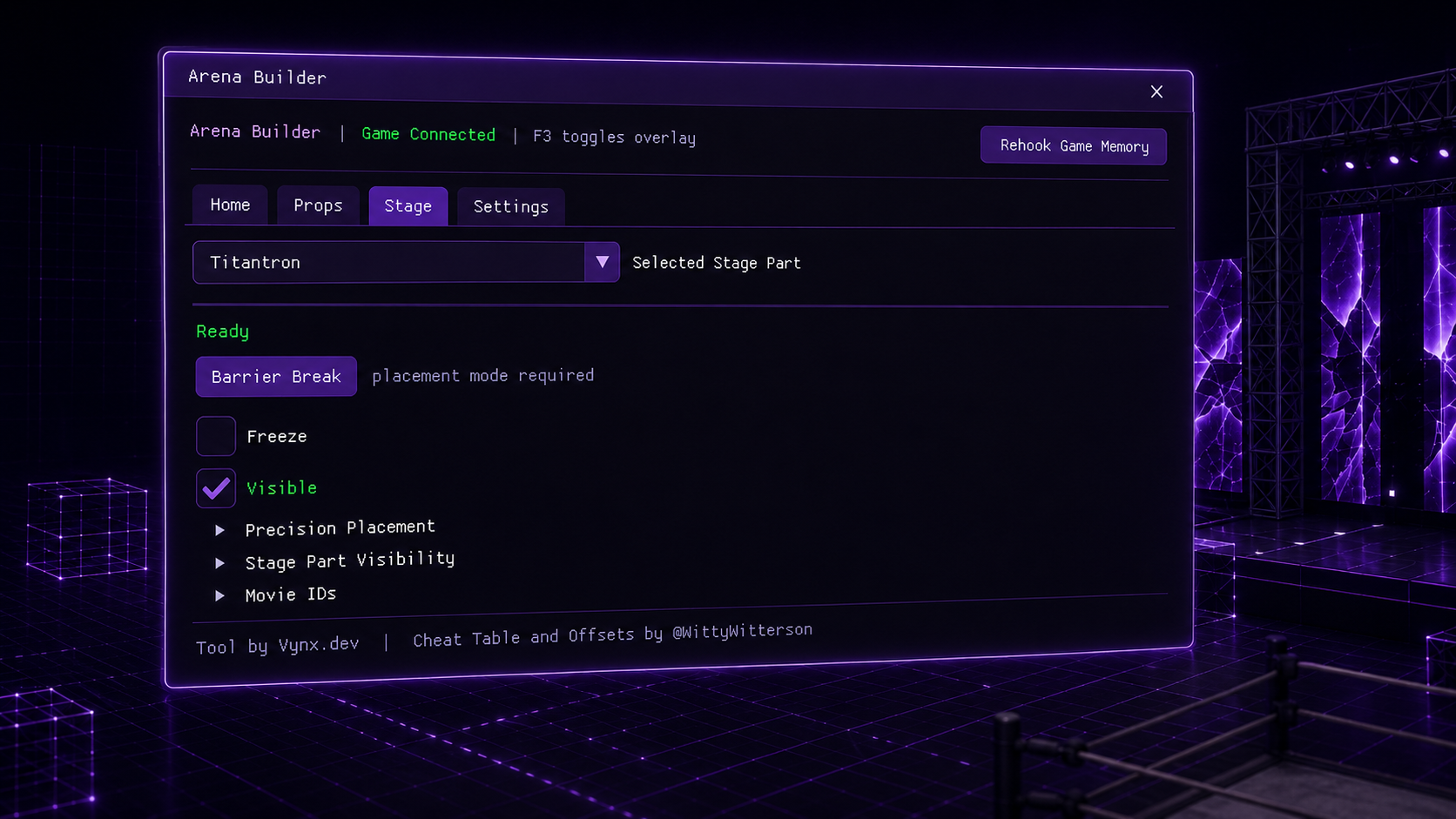
Open Create-An-Arena in-game and press F3 to bring up the overlay.
Remove the Create-An-Arena red-zone restrictions and place items anywhere you desire.
Rotate stage parts you wouldn't normally be able to rotate.
Fine-tune position and rotation with precision sliders to get every detail just right.
Preview the selected item's position and rotation in real time while adjusting it.
Expose raw memory-backed arena fields for experienced users who understand the CT-style data underneath.
Select a prop or stage part so the game enters placement mode.
Move the selected item at least once so live values begin updating.
Click Barrier Break while still in placement mode.
Place the item where you want it, including normally restricted zones.
Use Precision Placement and Live Preview for exact transforms.
Have fun with your creative freedom!
FAIR WARNING
Advanced Mode exposes raw memory-backed fields. Incorrect edits can break your game state or save data, so stick to the basic workflow unless you understand the fields you are changing.
I know this from personal experience while making the tool, so please don't shrug this warning off.
Keep backups of your save data and mod setup before using advanced mode and making edits.
Backup ArenaData.jsfb in your bake files.
(if it exists)
Tool by Vynx.dev.Cheat Table & Offsets by @WittyWitterson.